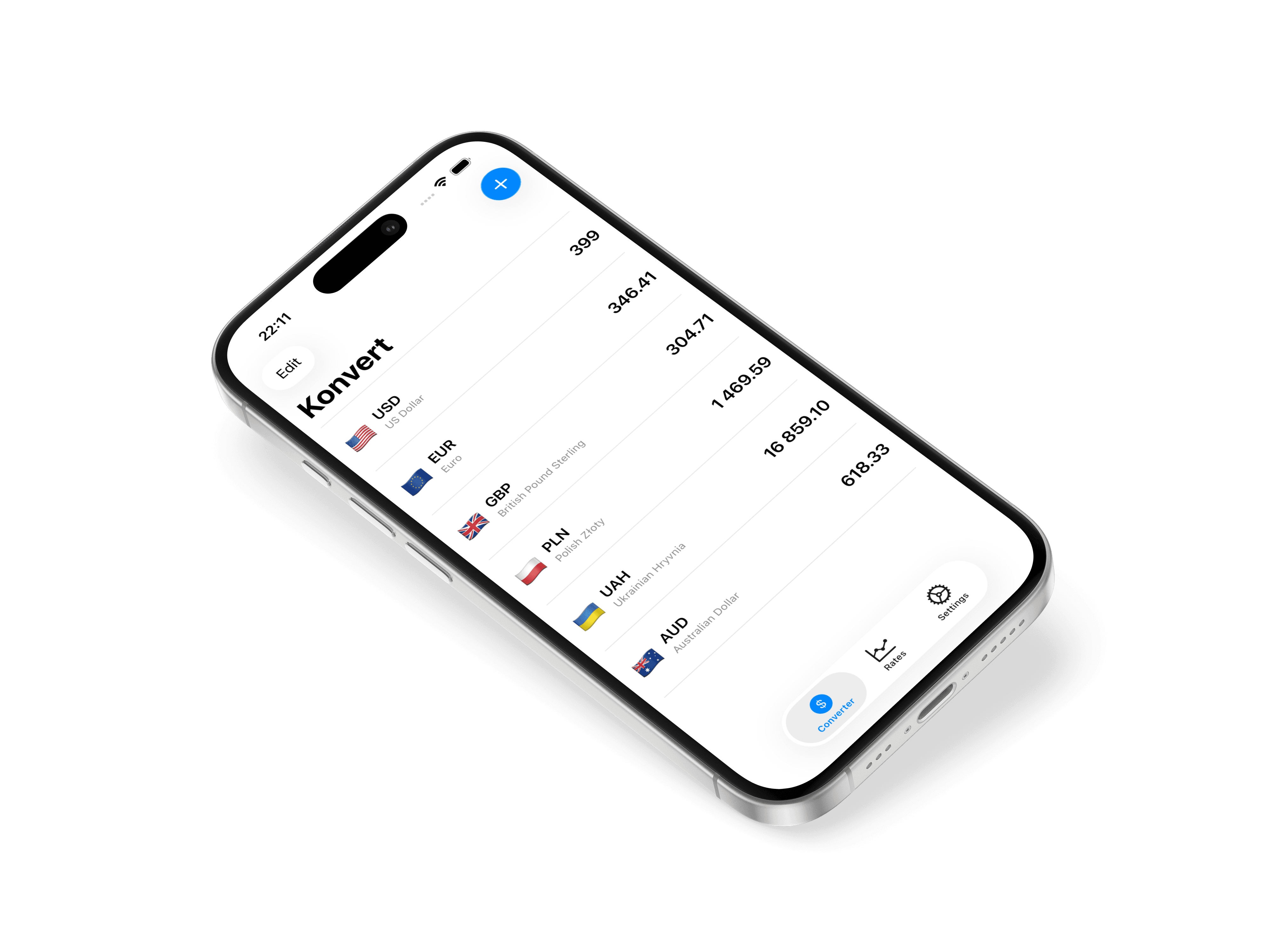
The cleanest way to convert 160+ currencies

See all your rates at once, track charts, and convert without friction.
How do I add or remove currencies?

You can manage your currency list by tapping the "plus" button inside the app. Select the currencies you want to track, and they will instantly appear on your main screen. To remove a currency, simply swipe left on it.

Do I need a subscription to use the app?

No. The core features, including tracking over 160 currencies (up to 5 on chosen), are completely free. A subscription or lifetime purchase simply unlocks premium additions like the widget, advanced chart history, dark mode themes, and the built-in math keyboard.

Why can’t I find a certain currency?

Konvert supports more than 160 global currencies. If a currency doesn’t appear in the list, it’s likely not supported by our data providers. You can send a request through the support page, and we’ll consider adding it in a future update.

How do I add or remove currencies?

You can manage your currency list by tapping the "plus" button inside the app. Select the currencies you want to track, and they will instantly appear on your main screen. To remove a currency, simply swipe left on it.

Do I need a subscription to use the app?

No. The core features, including tracking over 160 currencies (up to 5 on chosen), are completely free. A subscription or lifetime purchase simply unlocks premium additions like the widget, advanced chart history, dark mode themes, and the built-in math keyboard.

Why can’t I find a certain currency?

Konvert supports more than 160 global currencies. If a currency doesn’t appear in the list, it’s likely not supported by our data providers. You can send a request through the support page, and we’ll consider adding it in a future update.

How do I add or remove currencies?

You can manage your currency list by tapping the "plus" button inside the app. Select the currencies you want to track, and they will instantly appear on your main screen. To remove a currency, simply swipe left on it.

Do I need a subscription to use the app?

No. The core features, including tracking over 160 currencies (up to 5 on chosen), are completely free. A subscription or lifetime purchase simply unlocks premium additions like the widget, advanced chart history, dark mode themes, and the built-in math keyboard.

Why can’t I find a certain currency?

Konvert supports more than 160 global currencies. If a currency doesn’t appear in the list, it’s likely not supported by our data providers. You can send a request through the support page, and we’ll consider adding it in a future update.

/

Konvert app

© 2025 Nikita Gulak. Slaay.

Made by me in Figma & Framer.

Live Love Laugh

© 2025 Nikita Gulak. Slaay.

Made by me in Figma & Framer.

© 2025 Nikita Gulak. Slaay.

Made by me in Figma & Framer.